For operations and support
Look up any store that installed your app
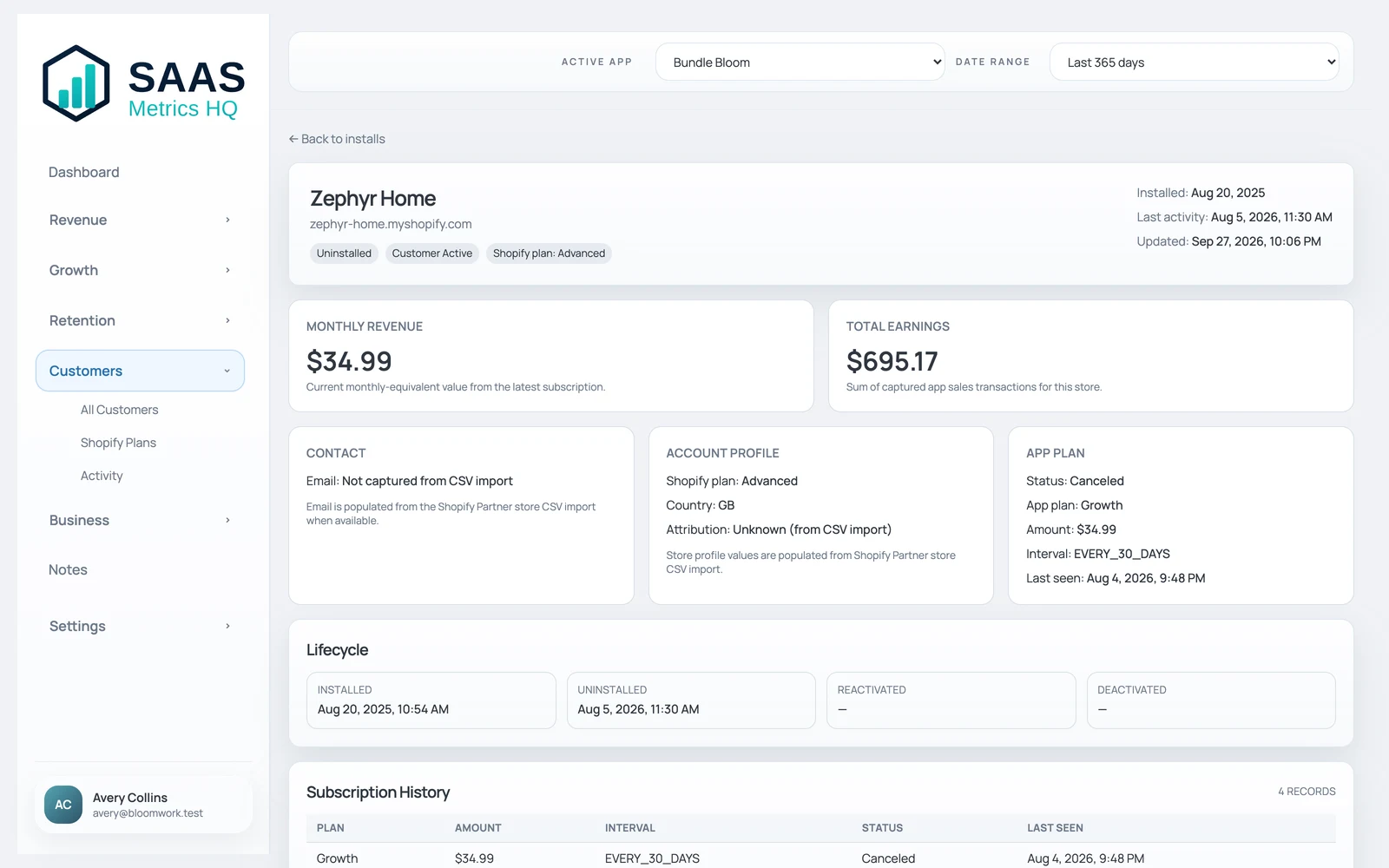
A merchant emails about a charge, or a store uninstalls without a word. SaaSMetricsHQ lets you search for the store and see its Shopify plan, its charges, when it installed and what changed, without digging through Partner exports.
Questions it answers
The questions operations teams get asked
What plan is this store on, and what has it paid?
Customer detail report →When did this store install, uninstall or come back?
Customer activity report →Which Shopify plans do our customers use?
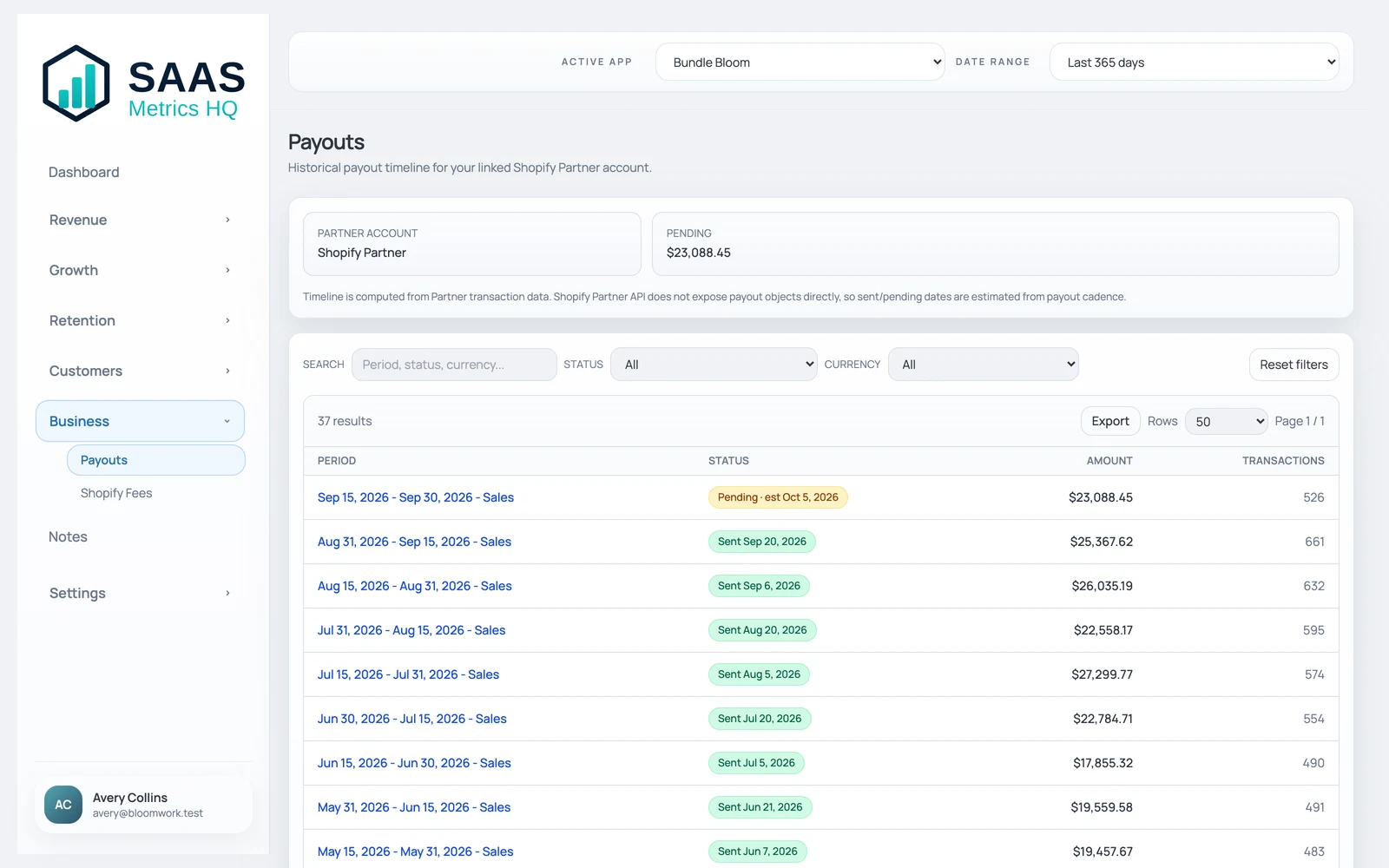
Shopify plans report →What will Shopify pay out next?
Payouts report →How it helps
Customer context when you need it
Every store, one search away
Search by store name, domain or plan, then open the store to see its plan, charges, lifecycle and subscription history.
Activity across your app
See recent installs, uninstalls and subscription changes in one feed.
Customer activity
- Installed
Juniper Goods
Today, 9:42 am
- Upgraded to Pro
Harbour Lane Co
Today, 8:15 am
- Uninstalled
Little Fern Supply
Yesterday
- Reinstalled
Mosswood Studio
Yesterday
Payouts and fees beside the numbers
Review Shopify payouts and estimated Shopify fees next to your revenue reports. These are operational estimates, not accounting records.
Questions from operations teams
Where does the store information come from?
From your Shopify Partner data. You can add plan names and other store details from supported Shopify exports.
Can I export customer data?
You can export supported customer and report data for operational analysis. Exports can hold sensitive business data, so store them with care.
Are payout figures exact?
No. Payouts and fees are operational estimates. Check important figures against your Shopify, bank and accounting records.
Answer customer questions faster
Join the waitlist to be one of the first Shopify app teams to use SaaSMetricsHQ.